Changing the Auto Dispense Feature Settings
 Please Note: The information on this page is for Australian products only. Models, sequences, error codes or settings will vary depending on location and/or where the product had been purchased. To be redirected to your local support page please click here.
The Auto Dispense feature on your washing machine* saves you the time and effort of having to load the detergent and softener into your washer for up to 1 month** of washing.
With Auto Dispense, you don't need to worry about using too much or too little detergent as your washing machine automatically dispenses the appropriate amount of detergent and softener. You can also detach the detergent tank and powder detergent can be added manually if you prefer that method.
If you want the washing machine to automatically dispense more or less detergent per wash or even per rinse, you can change this setting or turn it off by following the guide below.
If you want to learn more about the Detergent Drawer, check out our guides on Using and Cleaning the drawer.
*Auto Dispense is compatible on the following models: WW12BB944DGB, WW12BB944DGH, WF18B9600KV, WD85T984DSH, WF16T9500GV, WF16N8750KV.
**Based on Normal concentration. Number of cycles will increase to 16~20 times when softener of 2X / 3X is used. The Auto Dispense drawer holds detergent for up to 1 month's washing based on the average of 4 loads per week. May vary depending on the washing load and settings.
Changing the Dose per Wash (for detergent) or Dose per Rinse (for softener) Setting
 .
.
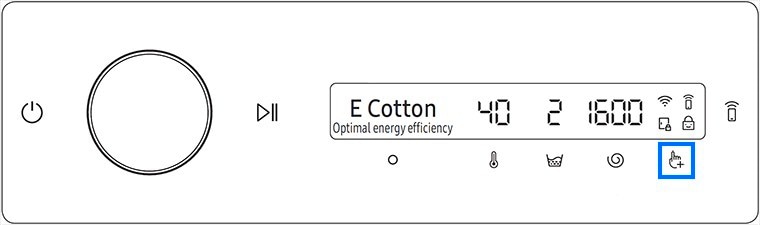
 .
.
 to select the desired setting.
 You can select from Off, Low, Med or High with Med being the default setting.
Note: If you would like to turn off the auto dispense function and use it manually, please select Off in the settings.

For further assistance, please contact our Chat Support. To find your Samsung product's User Manual, head to Manuals & Downloads.

Thank you for your feedback!
Please answer all questions.
Contact Info
Contact us
WhatsApp
![]()
![]()

