Cleaning and Maintaining your Samsung BESPOKE Cube™
 Please Note: The information on this page is for Australian products only. Models, sequences, error codes or settings will vary depending on location and/or where the product had been purchased. To be redirected to your local support page please click here.
It is recommended to clean your Samsung BESPOKE Cube™ regularly to optimise its performance.
Please see the video and written guide below for cleaning and maintaining the different components of your BESPOKE Cube™.
Cleaning & Drying the Front Panel
Then, remove the clip wire from the main unit.
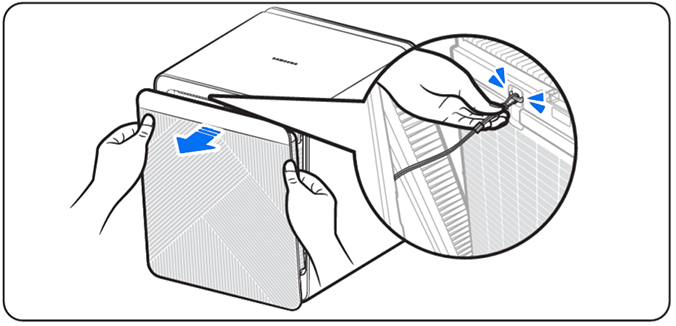
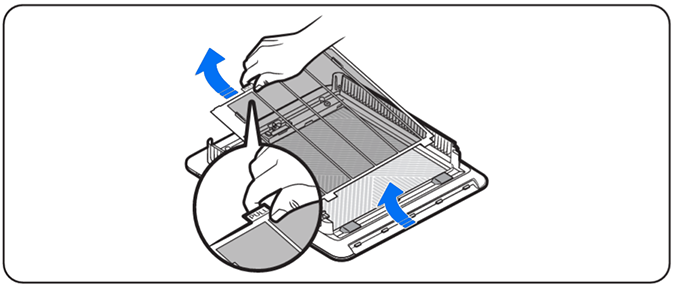
If you used water to clean the panel, let it dry completely before reattaching.

Then, push the areas labelled (2) at the top of the mesh to secure.
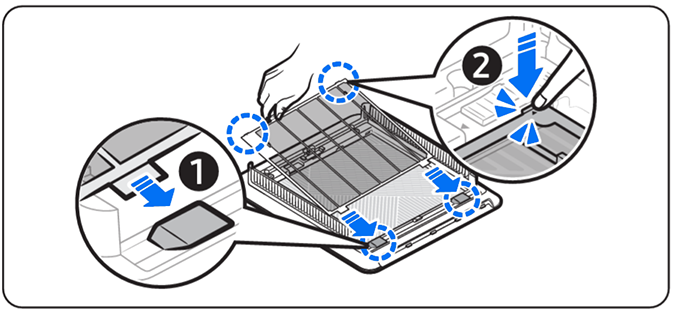
Then, insert the tabs (2) on the panel slots at the bottom of the unit and press the top centre of the panel to secure into place.
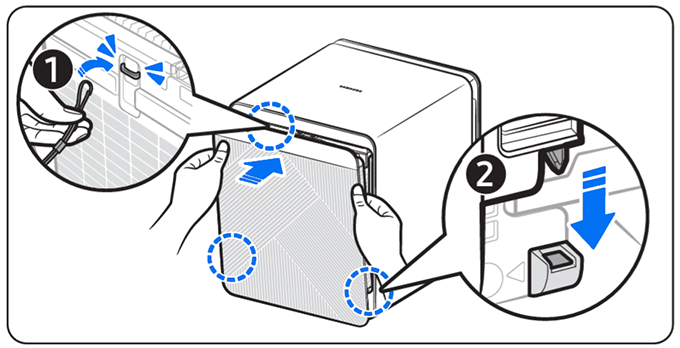
Cleaning & Drying the Filters
Then, remove the clip wire from the rear of the main unit.


Then, rinse with lukewarm water.
(It is recommended to clean the filters every 2 weeks if used for 24 hours every day).

Caution:
- When cleaning the pre-filter, do NOT use a brush or any similar tools. The super fine fibres can be damaged.
- When washing the pet mesh filter, use lukewarm water or water below 25°C. Water above 40°C can deform the filter exterior.

Caution!
The pet mesh filter is a disposable component, and can get damaged if washed often to resuse. If your pet mesh filter is deformed or damaged, please replace with the included spare or purchase a replacement.
Cleaning the Sensor Inlet
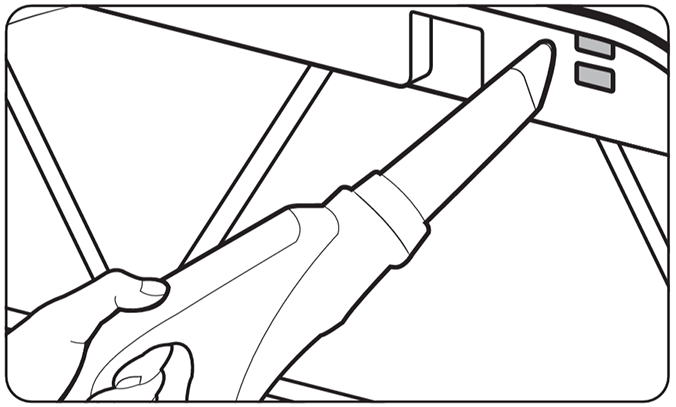
For the sensor of your BESPOKE Cube™, use a vacuum cleaner to clean the area around the sensor. If the sensor has accumulated dust or any foreign material, a high PM level may be detected. Do NOT put dust into the sensor inlet.
For further assistance, please contact our Chat Support . To find your Samsung product's User Manual, head to Manuals & Downloads.

Thank you for your feedback!
Please answer all questions.
Contact Info
Contact us
WhatsApp
![]()
![]()

