How to activate SIM card change alert in Samsung Galaxy J2-2016(SM-J210F)?
It enables mobile phone users to monitor any unwanted/unexpected changes of the SIM card. The app will send SMS messages to the predefined/trusted phone number when a non-authorized SIM card is inserted in the mobile phone. This service is used for privacy purpose.
Features of SIM change alert:
● Receive an instant alert through SMS to the registered number if the SIM card on the target phone is changed.
● Find out the SIM card ID of the SIM card that has just been inserted.
● No Internet needed.
Navigate to Apps → Settings → Lock screen and security → Find My Mobile → SIM change alert.→ Activate Switch → Add Alert message → Add Phone number → Save
Pictorial representation to activate SIM card change alert is as follows:
a). Tap on Apps icon from the Home screen.

b). Drag the Screen upwards to access more apps.
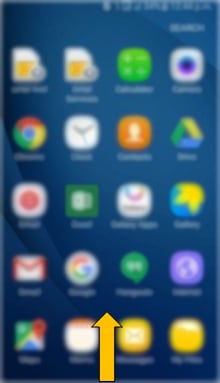
c). Tap on Settings icon.
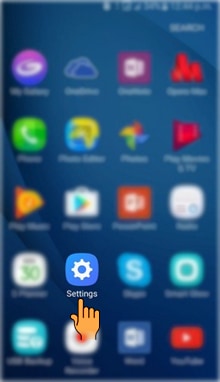
d). Tap on Lock screen and security settings.
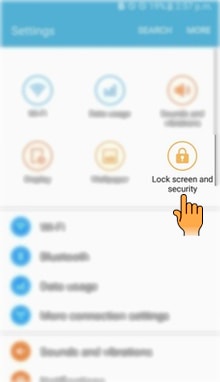
e). Select and tap on Find My Mobile option.
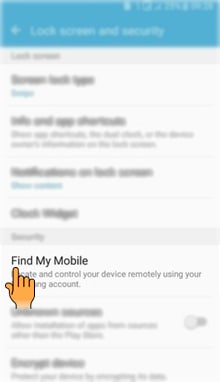
f). Tap on SIM change alert.
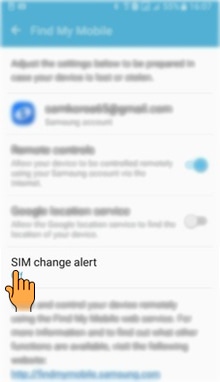
g). Tap on the Switch to activate SIM change alert.
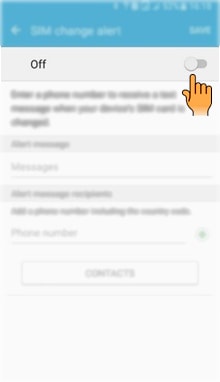
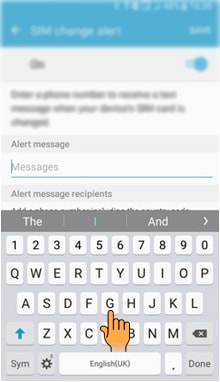
h). Tap on Alert message to add message.

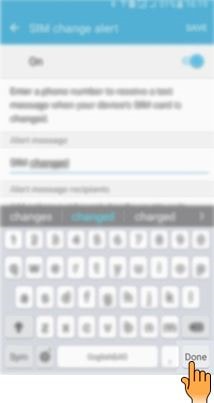
i). Enter the Alert message.
j). Tap on Done.
k). Tap on Phone number.
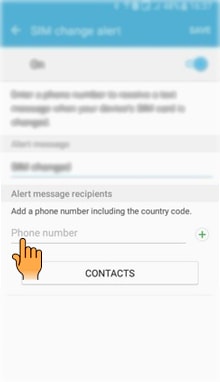
NOTE : You can enter the Phone number manually or you can select from your Contact list.
l). Enter the Phone number on which you want to receive the notification.
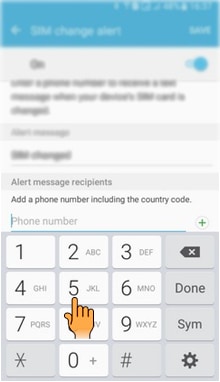
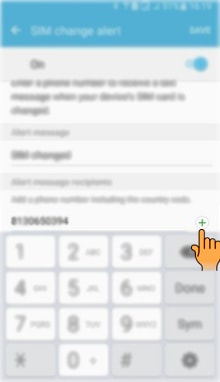
m). Tap on "+" icon to add the number.
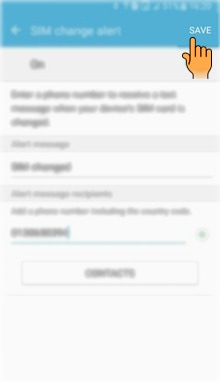
n). Tap on Save.
Thank you for your feedback!
Please answer all questions.
Contact Info
Online


Face to face Support
Apps & Services Customer Support
RC01_Static Content : This text is only displayed on the editor page