Ultra Wide

Filters
Filters



FAQ
-
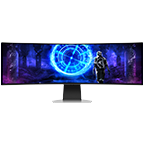
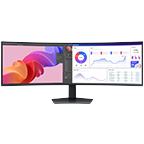
Which screen resolutions can I get with Samsung Ultrawide monitors?Samsung Ultrawide monitors are available in a range of high-resolution formats, including Ultra WQHD (3440 × 1440) and Dual QHD (5120 × 1440) on selected models. These wider resolutions provide more screen space for multitasking, productivity, and immersive viewing experiences.
-
How can Ultra WQHD resolution boost my productivity and multitasking?Ultra WQHD resolution offers a wider viewing area, allowing users to work with multiple windows, applications, or documents side by side without needing a second screen. This can help improve productivity for tasks such as spreadsheets, content creation, coding, and multitasking workflows.
-
Are Samsung Ultrawide monitors good for video editing and content creation?Yes. Samsung Ultrawide monitors are suitable for video editing, content creation, and creative workflows thanks to their wider screen space, high resolutions, and detailed visuals. Selected models also offer HDR support and wide colour coverage to help creators view content with greater accuracy and clarity.
-
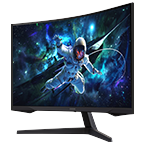
How does the curved screen enhance viewing on Ultrawide monitors?Selected Samsung Ultrawide monitors feature a curved display designed to provide a more immersive viewing experience. The curve can help keep more of the screen within the user’s natural field of vision, which improves comfort and make it easier to view content across the wider display.
-
Can an Ultrawide monitor replace my dual monitor setup?Yes. An Ultrawide monitor can be a practical alternative to a dual monitor setup by offering a single large display with enough space to view multiple windows at once. This can reduce interruptions while supporting multitasking and a cleaner workspace.
-
Will Samsung Ultrawide monitors work with both Mac and Windows?Yes. Samsung Ultrawide monitors are compatible with both Mac and Windows devices when connected through supported ports such as USB-C, HDMI, DisplayPort, or Thunderbolt depending on the model and device compatibility.
-
What refresh rates do Samsung Ultrawide monitors support?Samsung Ultrawide monitors support different refresh rates depending on the model. Selected models offer refresh rates ranging from 60Hz up to 144Hz or higher, helping provide smoother visuals for productivity, entertainment, and gaming use cases.
-
What warranty coverage comes with Samsung Ultrawide monitors in Malaysia?Samsung offers a standard 3-year limited warranty for Ultrawide monitors. This covers both parts and labor for manufacturing defects from the date of purchase.
-
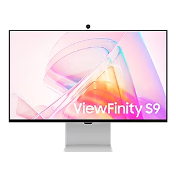
Is Ultrawide or ViewFinity the better choice for professional workThe better option depends on the type of work. ViewFinity monitors are designed for professional tasks that require high resolution and colour accuracy, such as graphic design, photography, and video editing. Ultrawide monitors are ideal for multitasking, productivity, and workflows that benefit from a wider screen, such as managing multiple applications at once. Samsung offers both options to suit different professional needs.
-
What is the difference between ViewFinity and Odyssey Gaming monitors?Samsung ViewFinity monitors are designed for professional and creative work, focusing on high resolution, colour accuracy, and productivity features. In contrast, Odyssey Gaming monitors are built for gaming, offering features such as high refresh rates, fast response times, and gaming-focused technologies for smoother and more immersive gameplay.
* Images are for illustration purposes only. Terms and conditions apply
* Features and specifications are subject to change without prior notification.
* All specifications and descriptions provided herein may be different from the actual specifications and descriptions for the product. Samsung reserves the right to make changes to this web page and the product described herein, at anytime, without obligation on Samsung to provide notification of such change. All functionality, features, specifications, GUI and other product information provided in this web page including, but not limited to, the benefits, design, pricing, components, performance, availability, and capabilities of the product are subject to change without notice or obligation. The contents within the screen are simulated images and are for demonstration purposes only.