What is a
Smart TV?
The latest Samsung Smart TVs are bursting with innovative and clever features designed to make your life easier, but what exactly is a Smart TV? In this TV buying guide, we seek to answer all your FAQs, from the basics of how a Smart TV works, right through to our top recommendations for the best Samsung Smart TV. Get ready to discover exactly what a Smart TV can do for you and your family.


Smart TV: Quick Takeaways
● Smart TV = Internet-enabled TV: Streams apps like Netflix, Disney+, Prime Video, and YouTube without extra devices.
● No aerial needed for streaming: Only required for traditional broadcast channels.
● Connects to other devices: Smartphones, gaming consoles, and smart home devices via Wi-Fi, HDMI, or SmartThings.
● Personalised and convenient: AI-powered recommendations, Smart Hub search, and One Remote Control for easy access.
● High-quality entertainment: Supports 4K/8K, immersive sound, HDR, and advanced gaming features.
What is a Smart TV?
Smart TVs integrate internet connectivity and an operating system to run apps, stream content, and browse the web, functioning as a hybrid TV and computer with features like voice control and screen mirroring.
Smart TVs are very much like smartphones; they stream entertainment straight to your TV via an internet connection. This means that you can watch all the latest films, box sets and play games on your Smart TV without the need for an aerial, cable or separate streaming device.
TV + internet + apps = Smart TV


Explore what you can do with a Samsung Smart TV. Discover streaming apps and entertainment built into Samsung TVs.


How does a Smart TV work?
Smart TVs come with built-in Wi-Fi connectivity. This allows them to provide you with a variety of streaming services and content. You can choose to connect your Smart TV to the internet either wirelessly or using an ethernet cable. An ethernet cable will provide you with a stronger, more stable internet connection. Whilst connecting wirelessly gives you more freedom to choose where you position your TV in your home as you are not restricted to where the ethernet cable can reach. Your new Smart TV will guide you through how to set up your TV when you initially turn it on.
To ensure you get the most from your Smart TV, you’ll need to have a reliable and quick internet connection. The stronger your connection, the better your viewing experience will be.


Are all Samsung TV’s Smart TVs?
Samsung’s first Smart TV, the Pavv Bordeaux 750, was released in 2008 but it wasn’t until 2015 that Smart TVs became mainstream. Today, all Samsung TVs are Smart TVs with Wi-Fi connectivity and easy access to your favourite entertainment apps.


What can you access on a Smart TV?
With Samsung Smart TVs, you will be able to access the largest collection of 4K content from the most popular TV apps2 including:
• Netflix
• Disney+6
• Apple TV
• NOW TV
• BT Sports
• Amazon Prime Video
• Brit Box
• BBC iPlayer
• All 4
• ITV Hub
• My5
With Samsung being the No.1 Smart TV brand1, you can rest assured that Samsung's best Smart TVs come with all the catch up apps you expect and love. You can get access to all the latest entertainment at the touch of a button with Smart Hub. There’s no need to plug in additional boxes or streaming sticks because you have everything you need straight out of the box.


Can you use a Smart TV without internet?
Yes, if you find yourself without the internet you can still enjoy watching your Smart TV. You’ll be able to watch cable TV channels, connect to Bluetooth and use your TV just like a traditional TV without any issue at all. However, Smart TV features such as streaming content on demand from online applications will not be available.


Does a Smart TV need an aerial?
A Smart TV does not always require an aerial. Your TV only requires an aerial if you want to watch traditional terrestrial broadcast channels, like BBC or ITV. If you only wish to watch streaming services like Netflix, Prime Video, or Disney+, then you don’t require an aerial.
What is the difference between a Smart TV and regular TV?
The main difference is that a Smart TV can access the internet via WiFi connection using various built in Smart TV apps, while a regular TV cannot. Sounds great so far, right? If you’re still not convinced, we’ve compiled a handy comparison table so you can quickly see all the benefits of a Samsung Smart TV compared to a regular TV:
|
Regular TV |
||
|---|---|---|
|
Wi-Fi Connection |
✓ |
x |
|
Download Apps |
✓ |
x |
|
Stream TV and Videos |
✓ |
x |
|
✓ |
x |
|
|
Music Streaming |
✓ |
x |
|
Browse Social Media |
✓ |
x |
|
Internet connectivity |
✓ |
x |
|
✓ |
x |
|
|
Smartphone connection |
✓ |
x |
|
✓ |
x |
Smart TV Connections
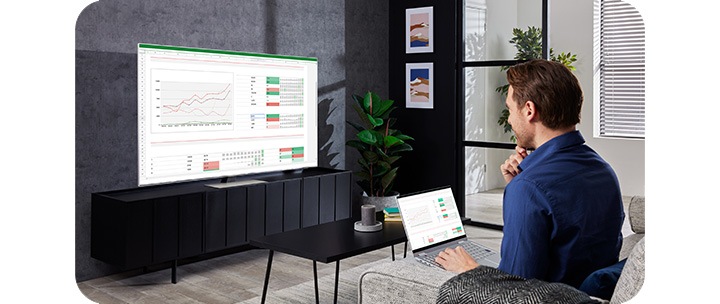
A Smart TV uses your home internet to connect to streaming services on your TV through different apps. You can use either a wired Ethernet cable or built-in WiFi to connect and bring all the latest tech straight to your living room. Whether it’s downloading your favourite apps, binge watching the latest Netflix series or streaming your favourite Spotify playlists your Samsung Smart TV can do all this and so much more. With a traditional TV you’ll only be able to access cable TV channels unless you opt for a Smart TV stick.

Can I screen mirror to a Smart TV?
Yes! You can now connect your phone to your Smart TV to stream what you’re watching straight to the big screen. You can even use your smartphone as a TV remote for effortless control at the tap of a button. Multi View mode takes your viewing to another whole level and with split screen mode you can cheer together, get fit together and even party together. It’s an amazing way to share time together even when apart.


Can I connect my Smart TV to other smart devices?
With Samsung Smart TVs, you can enjoy a true smart home experience in combination with the Samsung Ecosystem and SmartThings TV Dashboard. Whether it’s setting the mood by controlling smart lights, connecting your video doorbell with your Samsung TV or starting your washing machine cycle from the comfort of your sofa. The Samsung Ecosystem is designed to make your life that little bit easier.
You can find out more about the innovative features and various functions Samsung Smart TV offers and Connected Living with Samsung Smartthings at Samsung UK.


Control your smart home from your TV. See how Samsung TVs connect with SmartThings devices.


Top tips when choosing the best Smart TV for your home
When purchasing your Smart TV there are a number of key decisions that you need to make, from deciding the best TV screen resolution to finding the most appropriate size TV for your room. Check out our top tips on what to consider when choosing the best Smart TV for you:
1. What TV size do I need? Make sure you measure the space where your TV will go. Learn how to measure your TV here.
2. What TV picture quality do I need? Think about what you will use your TV for and then decide which TV resolution you will need. Learn more about the differences between 4K and 8K here.
3. What kind of TV content do I watch? Think about the kind of entertainment and content you like to get from your TV.
Do I need a high TV refresh rate? Particularly if you are a gamer, you want a TV with a high refresh rate. Read about how to choose the best TV for gaming here.


What are the best features of a Smart TV?
1. Exceptional range of content
The biggest value of a Smart TV is the ability to enjoy content beyond regular TV channels. A Smart TV provides your favourite VOD (video on demand) services such as Netflix, Amazon Prime Video, Disney+, and YouTube. Plus, you can get access to music streaming services like Spotify and even various games and sports content to enjoy as you please. Even paid cable and satellite broadcasting are available to watch on Smart TVs - you just need to install the app that the cable or satellite broadcasting company provides.
Even better with Samsung TV Plus which gives you instant access to over 100 live and on demand TV channels for free. You’ll find a huge collection of sports, news, music and entertainment programmes right at your fingertips.
2. Effortless searching
No matter how much content there is, the important thing is being able to find it right away. With the endless amount of content available online, choosing what to watch is no easy task. That's why having a convenient search function like Samsung's Smart Hub is important.
3. Personalised Recommendations
Powered by Artificial Intelligence (AI), your Samsung Smart TV will give you personalised recommendations based on what you have been watching. No need to waste time deciding what to watch, TV Plus will find your new favourite shows for you and take the indecision out of film nights.
Another important point is whether a Smart TV suggests the content you like before you even start searching. Wouldn't it be nice if a TV used your viewing and search patterns to find just the right content or let you know when a new season has started for the shows you like? The ideal Smart TV is one that knows you better than you know yourself and can provide services that match you based on your viewing data.
4. Convenient Usability
A Great Smart TV should automatically detect any device you connect via HDMI and eliminate the need to use several remote controls. Gone are the days of frantically searching for your remote controls. With the Samsung One Remote Control, you can access your favourite apps with the simple press of a single button. There’s no need to spend time searching for entertainment by typing, as the built-in voice assistants ensure you can search for content quickly and easily, all from the comfort of your sofa.
You can also connect your smartphone to your Smart TV to view content on the big screen with Samsung Smart View. Watch a film on your phone on the way home from work and continue watching it on your TV screen as soon as you walk through the door. With the Smart View function, you can also use your smartphone to control your Samsung TV without the need for a remote.
5. Easy Connectivity
Checking to see if a Smart TV can easily connect to other devices is another important requirement when choosing a new Smart TV. Connecting your smartphone to your TV to view content on a bigger screen is something you will definitely want to experience. Pictures and videos from your phone feel totally different when you see them on a big screen.
IoT is gaining widespread popularity, so naturally, easy connectivity with various internet-enabled devices around the home is becoming a requirement. You can watch a movie on your phone on the way home from work and effortlessly continue watching it on your TV screen as soon as you get home.
You can also connect your Smart TV to your gaming console to take your gaming to the next level. Learn how to choose the best gaming TV for you in this helpful article.
Which Smart TV is best?
Samsung Smart TVs are equipped with award-winning, innovative TV display and sound technology, so you can experience crystal clear images, perfect 3D sound, and world-class design. But that’s not all!
If you’re looking for the best Smart TV for flawless picture quality, brilliant sound experience and ultra smooth gaming, look no further than the Neo QLED 4K HDR Smart TV which comes equipped with market-leading innovations. Quantum HDR 2000 provides you with true-to-life quality and rich colours. Enjoy Super Surround Sound powered by Dolby Atmos® with 8 dedicated speakers built into the four sides of the TV, so you can track every terrifying gasp or hear the roar from the crowd travelling across the pitch. What’s more with Anti Reflection Screen, you will be able to see the perfect picture from any angle, day or night.


Best Samsung Smart TV
Samsung offer a wide range of excellent Smart TVs, allowing seamless control across apps, sound and entertainment. Compare our latest Smart models below.
| table product |


|


|


|
|---|---|---|---|
| Release year | 2026 |
2026 |
2026 |
| Display | 85" |
50"–100" |
43"–85" |
| Resolution | 7680 x 4320 (8K) |
3840 x 2160 (4K) |
3840 x 2160 (4K) |
| Processor | NQ8 AI Gen3 |
NQ4 AI Gen2 |
NQ4 AI |
| Q-Symphony | Yes |
Yes |
Yes |
| Bluetooth | Yes |
Yes |
Yes |
| SmartThings | Yes |
Yes |
Yes |
| Mobile Tap Mirroring | Yes |
Yes |
Yes |
| Multi View | Yes |
Yes |
Yes |
| Multi Voice Assistant | Yes |
Yes |
Yes |
| Gaming (Max Refresh) | 8K/120Hz, 4K/240Hz |
4K/144Hz |
VRR/ALLM (no HDMI 2.1) |
| HMDI 2.1 | Yes |
Yes |
Yes |
| table item cta |
|
|
|
Smart TV FAQs
-
How do I know if my Samsung TV is a Smart TV?To check if your Samsung TV has smart functions, we recommend the following:
1. Check your remote for the Home, Menu or Smart Hub button
2. Press the Home or Menu button on your TV remote. If you see a range of different applications such as YouTube and Netflix appear on your TV screen you’ve got a Smart TV.
3. If you can only see options to change TV settings then you probably don’t have a Smart TV.
4. If your TV remote control doesn’t have a Menu or Home button, it’s very unlikely to be a Smart TV.
Please note: If you think you have a Smart TV but are having problems accessing your favourite apps you should check that your TV is connected to the internet since TV applications are only able to run with a Wi-Fi connection. You can troubleshoot TV internet issues with our handy guide here. -
Does Samsung make non-Smart TVs?No, Samsung no longer produces non-Smart TVs. All Samsung TVs for both domestic and commercial use have smart functionality included as standard.
-
Do I need a Smart TV?If you are prepared to use a separate streaming stick you don’t necessarily need a Smart TV to watch Netflix box sets or YouTube videos. However, these 3rd party streaming devices rarely offer more functionality than the latest Samsung TVs. Smart TVs are also more than just the apps it comes with, they benefit from voice activation technology, integrated gaming software and extended features such as intuitive control of your smart home devices. If you’re looking for a new TV you can’t go wrong with the latest Samsung Smart TVs. Ready to find out more? Explore our Why Samsung Smart TV? guide for our top recommendations.
-
What is screen mirroring?Screen mirroring is a technology that allows the screen of a mobile device to be transmitted to the TV screen as it is and viewed on a large screen of the TV. The SmartThings and Smart View apps allow you to quickly and easily connect to your Samsung Smart TV, but you can also connect via a Wi-Fi or HDMI connection.
-
How can I connect my phone to a TV?You can connect your phone to your TV either wirelessly or with a cable. For wireless connections, Samsung Smart TVs support screen mirroring or casting: use Smart View on Samsung and Android phones. Simply ensure your phone and TV are on the same Wi-Fi network, then select your TV from the device list. For wired connections, use an HDMI adapter compatible with your phone. Once connected, you can mirror videos, photos, and apps directly to the TV screen.
-
How do I log out of Netflix on my TV?Open the Netflix app on your TV, go to Settings or Account, and select Sign Out (or Log Out). On some TVs, you may need to navigate to the Menu or More Options button to access the sign-out option. Once logged out, you can switch accounts or secure your TV if you’re sharing it with others.
Explore our
Smart TVs


Need fast answers to your TV questions? Jump to any quick-tip article below:
*Samsung Account required to access our network-based smart services and apps. If you choose not to log-in, you will only get connection to terrestrial TV (applicable to devices with tuners only) and external devices, e.g. via HDMI
1. Omdia. For general information only; not an endorsement/certification/recommendation; no liability for reliance.
2. Subscriptions required. Some apps may not be available at launch. 3rd party content providers may remove apps from the Smart TV platform or stop updating them at any time. Available on selected Samsung Smart TVs - app availability varies by model and year
3. Samsung Gaming Hub is supported on 2022 Samsung Smart TVs
4. SmartThings app and user account required. Compatible devices: https://www.smartthings.com/products-list
5. An internet connection and subscription for content service is required.
6. Disney+ subscription required. Subject to terms at https://www.disneyplus.com © 2020 Disney and its related entities.
7. 3rd party content providers may remove apps from the Smart TV platform or stop updating them at any time.
8. QN90B 43”/50”: Quantum HDR 1500
9. 43“/50” QN90B supports Dolby Atmos® with virtual top speakers.
10. OTS Lite available with 43'‘/50" QN90B.
11. From 55" and above QN90B.
12. Smart features will vary depending on model of TV.
